

Chapter 4 - Selecting Records with Parameters
This chapter first shows you how to filter data using the Select Expert and then shows you how to create advance filters using parameters. Parameters are covered in great detail because they are also used within report formulas and for custom formatting. The effective use of parameters within record selection formulas and custom formatting lets you create dynamic reports that are tailored to each specific user.
 Become a Crystal Reports expert with the authoritative resource available.
The tuturials and tips in this book will take your skills to the next level.
Become a Crystal Reports expert with the authoritative resource available.
The tuturials and tips in this book will take your skills to the next level.Buy at

Selecting Records with Parameters
Using a parameter within a record selection formula involves the same process that was discussed in the first half of the chapter. You follow the steps to set which field to filter on and set the filtering condition (equal to a value, within a range, etc.). The difference is when you set the value to filter with. You now choose a parameter field. Parameters are listed with a ? in front of it. The next figure shows using a parameter to filter the Country field.
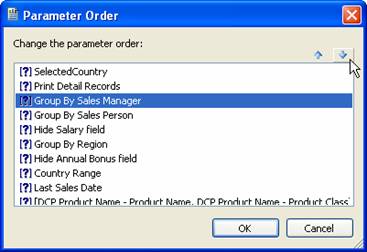
Figure 4-10. Setting a filter that uses a parameter.
Filtering on range and multi-value parameters has a few idiosyncrasies that you need to be aware of. As you know, these types of parameters are more complex due to the fact that they store more than just a simple value.Range parameters consist of a start value and end value. The only conditions you can use with range parameters is the Is Equal To and Is Not Equal To. This is the equivalent of testing whether a value falls within the range (Is Equal To) or if it falls outside the range (Is Not Equal To).4 Multi-value parameters consist of multiple discrete values or multiple range values. Just like range parameters, the only conditions you can use are the Is Equal To and Is Not Equal To conditions. Using the Is Equal To comparison looks at each of the individual values within the parameter and determines if it is equal to any one of those values. It only needs to match one value for the record to match the condition. Consequently, the Is Not Equal To condition is a match if the value isn't any of the parameter values.
To read all my books online, click here for the Crystal Reports ebooks.